

Using Stroboscopic Light for On-Press Inspection
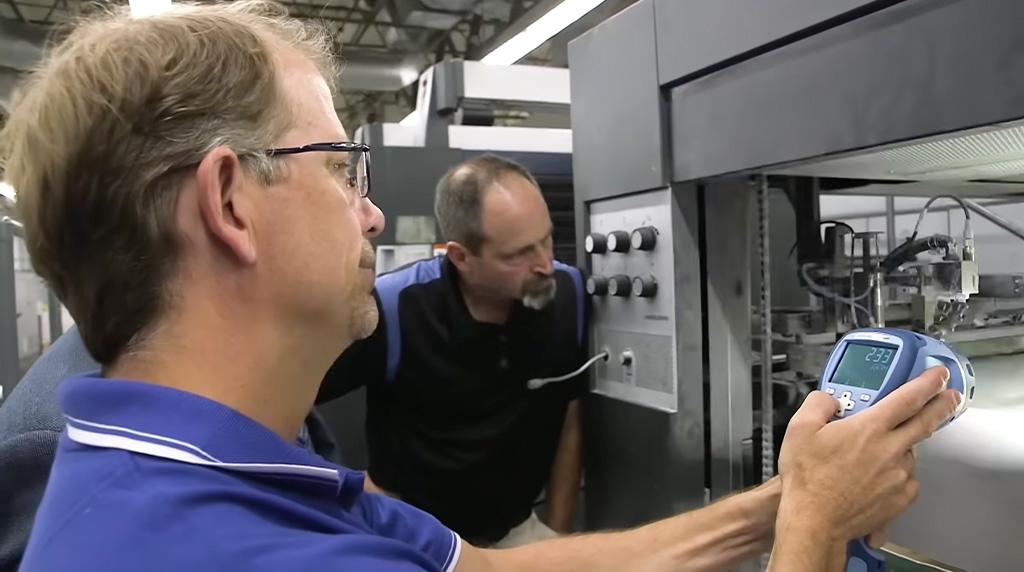
Stroboscopes are used in print inspection to emit rapid flashes of light synchronized with the speed of a moving web or cylinder. This optical illusion “freezes” the moving substrate, allowing operators to visually inspect color registration, dot quality, and print defects without stopping the press.
Table of Contents
How Does a Stroboscope Inspect a Printing Press While Operating?
When a printing web is running at 1,000 feet per minute, it is nothing but a continuous blur of color. At that speed, spotting a micrometer-level shift in a cyan register mark or a tiny defect in ink trapping is physically impossible for the naked eye. Stopping the press to check print quality isn’t an option either, as it alters web tension, generates costly waste, and kills valuable production time.
Alternatively, a stroboscope emits short, intense bursts of light synchronized with the speed of the press cylinders. By illuminating the moving web at the exact same point in its repeat cycle every single time, it leverages the human eye’s persistence of vision to create a powerful optical illusion.
The high-speed blur instantly becomes a crisp, stationary image. This “freezing” effect gives press operators and quality control technicians the ability to evaluate dot gain, verify color-to-color registration, and check die-cut alignment exactly as if the substrate were sitting still on a static light table. All while the machine runs at full production speed.
Seeing this stroboscopic effect in action makes the concept instantly clear. The video below demonstrates how matching the flash rate to the press speed creates the illusion of a perfectly stationary web.
What Defects Can You Spot With Stroboscopic Light?
Using a stroboscope allows operators to spot dynamic print defects including color-to-color registration errors, gear chatter banding, hickeys from dried ink or dust, doctor blade streaks, and missed coatings. Catching these issues at operating speed prevents thousands of feet of wasted substrate.
Because different printing methods suffer from different mechanical and chemical issues, a press check strobe is highly versatile. By panning a strobe across the moving web, operators can identify:
- Registration Errors: The most common use case. Operators focus the strobe on the register marks (crosshairs or micro-dots) on the edge of the web. If the magenta cylinder is slightly out of phase with the black cylinder, the operator will see the magenta mark shifting or bouncing out of alignment, allowing them to adjust the cylinder advance on the fly.
- Banding and Gear Chatter: Mechanical vibrations in a flexo or offset press often manifest as horizontal bands across the print. By syncing the strobe and observing the web, an operator can determine if the spacing of the bands correlates to the pitch of the cylinder gears.
- Doctor Blade Issues: In gravure and flexo, a damaged doctor blade will leave a continuous streak of ink. A strobe makes this thin line immediately visible before the roll is finished.
- Hickeys and Voids: Dust on a blanket cylinder (offset) or dried ink on a photopolymer plate (flexo) creates spots or voids (hickeys). Identifying the exact repeat frequency of the hickey helps pinpoint which cylinder is contaminated.
- Web Tension and Wrinkling: Aside from the print itself, strobes are used to freeze the edges of the substrate to check for micro-wrinkling or edge flutter caused by improper tension.
- Missing UV Coatings and Security Inks: Many packaging lines apply clear UV-cured varnishes or invisible security inks that only fluoresce under ultraviolet light. A standard white-light strobe cannot illuminate these features. By using a specialized UV stroboscope, operators can verify that clear coats are applying evenly without voids, and ensure security marks are properly registered.
Manual Stroboscopes vs. Automated Web Inspection Systems
A manual stroboscope is an affordable, portable tool used by operators for targeted spot-checks and mechanical troubleshooting. Automated camera systems provide 100% continuous web monitoring and digital defect mapping, but represent a massive fixed capital investment.
Many modern converting lines are equipped with automated, camera-based 100% inspection systems. These systems are incredible for catching random, isolated defects (like a single dead bug on the web) and creating roll maps for the slitter-rewinder. However, they do not render the manual web inspection stroboscope obsolete. The two technologies serve different, complementary roles in a robust quality program.
Automated cameras are fixed in place and monitor the web just before the rewind. If an operator spots an issue on the monitor, they often need a portable strobe to walk back up the press and troubleshoot where the issue is originating. A handheld strobe answers these mechanical questions in seconds.
| Feature | Manual Stroboscope | Automated Web Inspection System |
| Primary Use | Spot-checking, mechanical troubleshooting, setup | 100% continuous defect detection, roll mapping |
| Coverage | Targeted (wherever the operator aims it) | Full web width, continuous |
| Mobility | Highly portable; can be moved anywhere on the press | Fixed installation at the end of the press |
| Cost | Low (Hundreds to a few thousand dollars) | High (Tens to hundreds of thousands of dollars) |
| Defect Type Caught | Repetitive defects (registration, gear marks) | Both repetitive and random/isolated defects |
| Setup Time | Instant | Requires job-specific parameter programming |
How do You Synchronize a Strobe Light for a Printing Press?
You synchronize a strobe light for a printing press either manually by adjusting the strobe’s internal flash rate to match the visual repeat of the print, or automatically by connecting the strobe to an external trigger signal, such as the press’s drive encoder.
For the stroboscopic effect to work, the flash rate (measured in flashes per minute, or FPM) must perfectly match the speed of the moving object (measured in revolutions per minute, or RPM).
Internal Triggering (Manual)
Using a strobe’s internal oscillator, an operator points the strobe at the web and turns a dial or presses a button to increase the flash rate. When the flash rate perfectly matches the repeat length passing by, the image appears to stop. If the image appears to drift slowly forward or backward, the operator fine-tunes the flash rate until it locks in place.
External Triggering (Automated Synchronization)
In industrial printing, speeds fluctuate during ramp-up and ramp-down. Manually adjusting a strobe during these phases is difficult. Advanced industrial strobes, such as the illumiNova® Fixed Mount LED Stroboscope, can accept an external trigger signal. By connecting the strobe to a proximity sensor on the print cylinder or a rotary encoder on the main drive, the strobe automatically adjusts its flash rate as the press changes speed. The image remains perfectly “frozen” regardless of press acceleration.
Measuring RPM
Because of this exact synchronization, stroboscopes also function as optical tachometers. Maintenance reliability technicians frequently use them to measure the RPM of rotating shafts, fans, and driven rollers without having to shut down the machine to apply reflective tape, making it a dual-purpose tool for both the quality and maintenance departments.
LED Stroboscope vs. Xenon Stroboscope: Which is Better for Print?
An LED stroboscope is generally better for modern print inspection due to its high energy efficiency, lack of heat generation, long lifespan, and portability. However, xenon strobes offer incredibly short flash durations, which can provide sharper images at extremely high press speeds.
For decades, xenon flashtubes were the industry standard. They produce a bright, broad-spectrum white light that is excellent for color rendering. However, xenon bulbs degrade over time, generate significant heat, and draw a lot of power, which traditionally limited the battery life of portable units.
Today, the LED stroboscope has largely taken over the printing industry.
- Brightness and Efficiency: Modern LEDs produce incredibly bright output with a fraction of the energy required by xenon. This allows for lightweight, battery-operated units that can last a full shift on a single charge.
- Flash Duration: LEDs allow the user to easily adjust the flash duration (how long the light stays on per flash). A shorter duration creates a crisper “frozen” image, while a longer duration increases perceived brightness.
- Maintenance: LED arrays have lifespans measured in tens of thousands of hours, virtually eliminating the need for bulb replacements.
- Heat: LEDs run cold, meaning operators can hold them close to heat-sensitive substrates (like thin shrink films) without risking distortion.
-

illumiNova® Fixed Mount LED Stroboscope
-
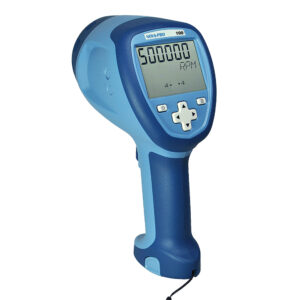
Nova-Pro® 100 LED Stroboscope/Tachometer
-
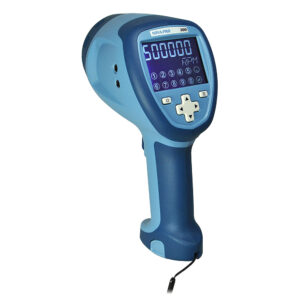
Nova-Pro® 300 LED Stroboscope/Tachometer with NIST Certificate
-
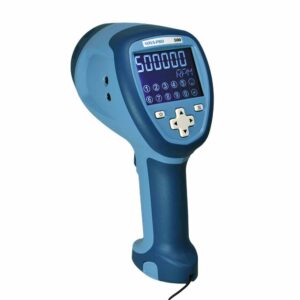
Nova-Pro® 500 LED Stroboscope/Tachometer with NIST Certificate
-
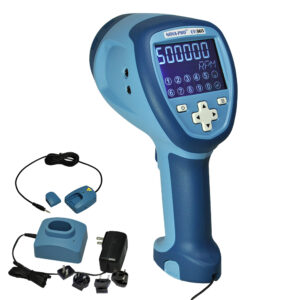
Nova-Pro® Ultraviolet LED Stroboscope/Tachometer with NIST Certificate
-

Nova-Strobe™ BBL LED Portable Stroboscope
-
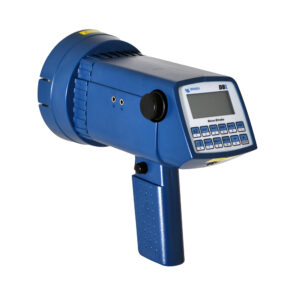
Nova-Strobe™ DBL LED Stroboscope with NIST Certificate
-
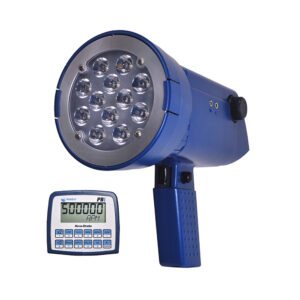
Nova-Strobe™ PBL LED Stroboscope with NIST Certificate
-
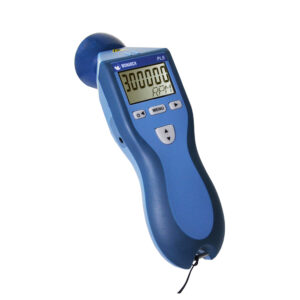
PLS Pocket LED Stroboscope with NIST Certificate
How to Choose the Right Press Check Strobe
When selecting a stroboscope for print and converting operations, quality managers and pressroom supervisors should evaluate their specific press configurations.
Key selection criteria include:
- Flash Rate Range: The strobe must be capable of flashing faster than your maximum press cylinder RPM. For most printing applications, a range up to 10,000 FPM is more than sufficient, though some high-speed slitter applications may require more.
- Light Output (Brightness): Pressrooms are brightly lit environments. You need a strobe with high lux/lumen output to overpower the ambient lighting. Look for units with adjustable brightness.
- Form Factor and Power: Do you need a permanent, fixed-mount strobe spanning the full width of a 60-inch web? Or do you need a battery-powered, handheld unit that an operator can carry between multiple narrow-web label presses?
- Durability: Press floors are harsh environments. Look for strobes with rugged housings, secure grips, and adequate IP ratings to protect against ink mist, solvents, and paper dust.
- Phase Shift (Jog/Delay) Capability: This is a crucial feature for advanced print inspection. Phase shifting allows the operator to electronically “roll” the frozen image forward or backward along the web without losing synchronization, making it easy to move the viewing window from the register marks to the center graphics.
To see why phase shifting is such an important purchasing consideration, watch the demonstration below. Notice how the operator uses the Jog/Delay feature to easily scroll through individual repeat patterns on a narrow web flexographic press while it is running.


