

FAQs: illumiNova® Fixed Mount Stroboscope Operation
Does the illumiNova Fixed Mount Stroboscope automatically increase the flash intensity when the strobe’s signal is connected as the speed increases?
No, the illumiNova does not increase the intensity with the flash speed or connection. However, you are able to change the flash intensity through two methods. One method for increasing flash intensity is to set the flash brightness through the menu brightness (BRITE) control, which does not change the flash duration. However, by increasing the flash duration, the brightness is also increased, but the object illuminated may look fuzzy or blurry due to a longer observation time of the moving object. For a detailed explanation, please refer to the illumiNova Fixed Mount Stroboscope Instruction Manual, specifically the section on BRIGHTNESS – BRITE.
Can you connect multiple illumiNova Fixed Mount Stroboscopes for greater coverage?
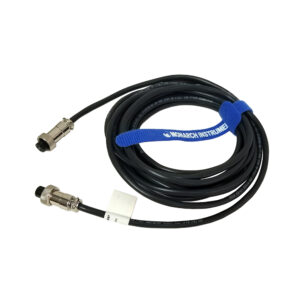
Indeed, you can! In order to connect and run multiple illumiNova Fixed Mount Stroboscopes, the PRIMARY strobe will have the output connected to the SECONDARY strobe. Each daisy-chained strobe will need to be set to External Mode.
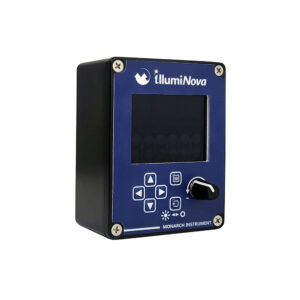
With handheld strobes, insertion of the plug into the input jack automatically sets the strobe to External Mode, but the illumiNova must be set through the control panel. Attaching the Remote Controller to an illumiNova will automatically allow it to act as a parallel to the control panel. The strobe may be controlled by either the illumiNova’s control panel or the Remote Controller. Please note that when illumiNova strobes are daisy-chained, each subsequent strobe will have a small delay in adjustment of RPM (2 to 3 seconds).
Can you use a single Remote Controller to turn ON multiple illumiNova Fixed Mount Stroboscopes?
Yes! The illumiNova Fixed Mount Stroboscope has a Standby – STDBY feature that will determine if the LEDs start flashing or not when the unit is powered up. If the second strobe is shut off with the LEDs illuminated, they will be illuminated when it is turned back on. Standby mode is programmed through the MISC mode setting. More details can be found in the illumiNova Fixed Mount Stroboscope Instruction Manual, specifically within the section on STANDBY – STDBY.
Can you control the brightness of the LEDs?
Yes! Brightness may be controlled through BRITE in the menu and can be set to HI, MED, or LOW. Brightness may also be increased through the WIDTH selection in the menu. The perceived brightness can be increased by increasing the amount of time the LED is illuminated.
The illumination time window can be controlled by either the Degree of Rotation Adjustment – DEG, or the Percent of Duty Cycle Adjustment – PCNT. A crisper image is gained by a shorter duration flash. A brighter illumination is given by increasing the duration the LEDs are on. However, when the LED is on for a longer period of time, the image appears to blur or become fuzzy since movement can be seen during the illumination.
Can multiple setups be saved?
Yes, the illumiNova Fixed Mount Stroboscope has ten (10) memory locations (RM1, RM2, RM3, RM4, RM5, RM6, RM7, RM8, RM9 RM10) from which to load the memory setting.
What are the engineering units for the displayed flash rate?
There are multiple options for engineering units you can choose from for the displayed flash rate. The options are Revolutions Per Minute (RPM), Revolutions Per Second (RPS), Flashes Per Minute (FPM), or Flashes Per Second (FPS).
Can the illumiNova Fixed Mount Stroboscope be used as a process work/task lamp?
Yes. The ON Mode may be selected in the MODE menu option. In this mode, the strobe is continuously on.